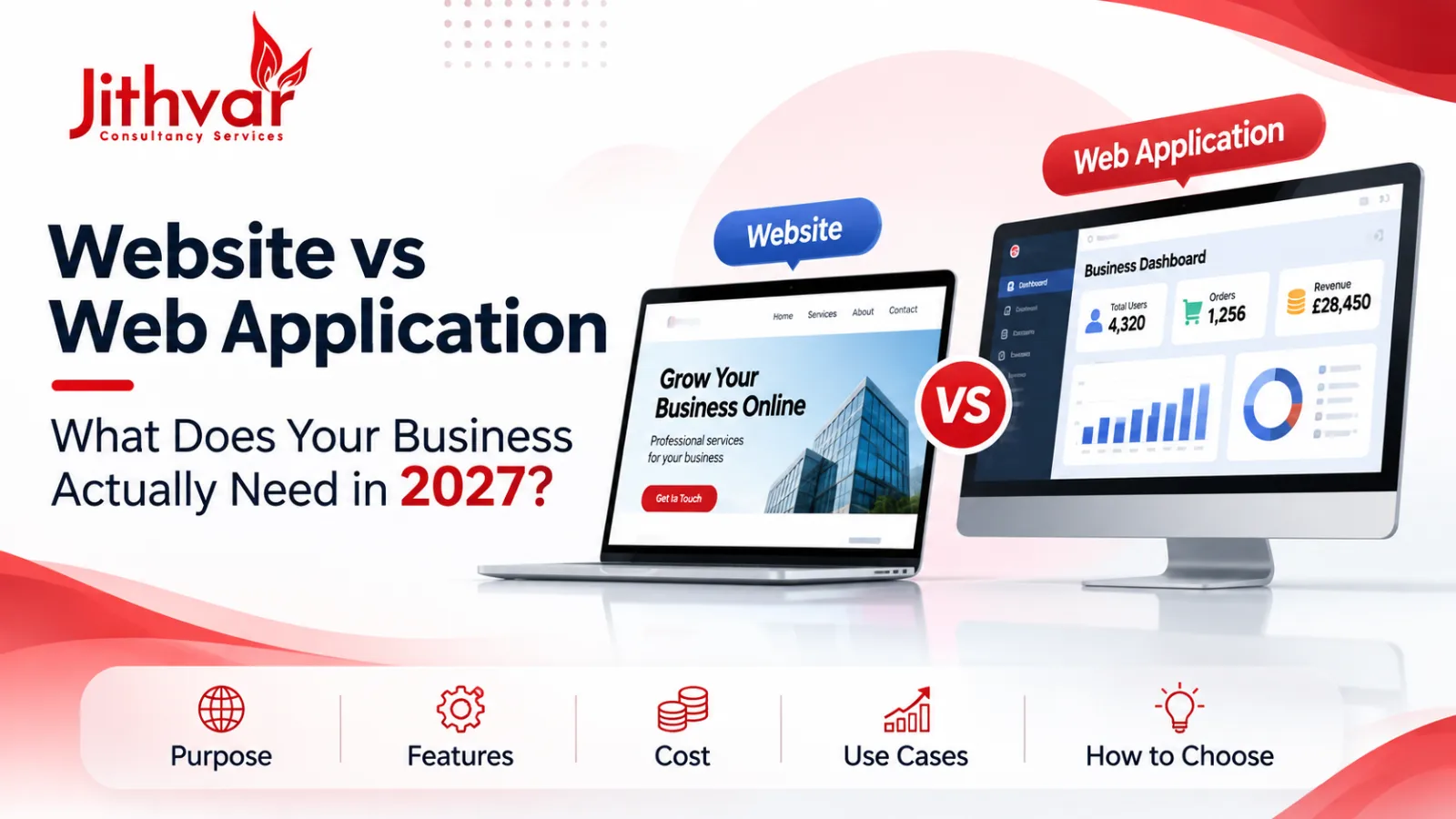
Understanding the difference between a business website and a custom web application can help you make the right technology investment, avoid unnecessary development costs and choose a solution that supports your business goals.
When planning a new digital project, one of the first questions business owners face is whether they need a website or a web application.
At first, the distinction might seem straightforward. A website helps people find your business online, while a web application allows users to perform specific tasks. But as businesses grow and their requirements become more complex, the line between the two can become less obvious.
For example, an online store might begin as a simple website showcasing products. Over time, it may require customer accounts, inventory management, order processing, payment integrations, automated notifications and reporting. At that point, it is doing much more than displaying information.
The same applies to businesses that initially need a corporate website but eventually require customer portals, booking systems, employee dashboards or customised business workflows.
So, should you invest in a traditional website or custom web application development?
The answer depends on what you want technology to accomplish for your business.
In this guide, we explain the differences between websites and web applications, their features, development considerations and when each option makes sense.
1. What Is a Website?
A website is a collection of interconnected web pages accessible through a browser. Its primary purpose is generally to present information, communicate with visitors and establish an online presence.
Most business websites are designed to help potential customers understand what a company offers, explore its services and get in touch.
A typical business website may include:
Homepage
About Us
Products and Services
Portfolio or Projects
Blog or News
Contact Information
Enquiry Forms
For example, a consultancy firm might have a website explaining its services, showcasing previous projects, publishing industry insights and allowing visitors to request a consultation.
Similarly, a manufacturing company might use its website to showcase its products, provide technical specifications, publish catalogues and receive enquiries from distributors.
Common types of business websites
Corporate Websites
Designed to establish a company's online presence, explain its services and build credibility with prospective customers.
eCommerce Websites
Allow businesses to sell products online, manage product catalogues, accept payments and process customer orders.
Portfolio Websites
Showcase completed projects, creative work, professional experience and business capabilities.
Informational Websites
Provide information about a particular subject, organisation, publication or service.
News and Publishing Websites
Publish articles, news reports, editorial content and other information for online audiences.
When does your business need a website?
A traditional business website is generally sufficient when your primary requirements are:
Establishing an online presence.
Presenting products and services.
Generating customer enquiries.
Improving visibility through search engines.
Publishing articles and company updates.
Building brand credibility.
Providing business contact information.
If your visitors primarily need to read information, explore services or contact your business, a well-designed website may be all you need.
2. What Is a Web Application?
A web application is an interactive software application that runs through a web browser.
Unlike a conventional informational website, a web application allows users to perform tasks, manage information, interact with data and complete business processes.
Most web applications include some combination of user authentication, databases, business logic, dashboards, APIs and automated workflows.
For example, consider a recruitment company.
A basic website can display job openings and allow candidates to submit applications. However, managing thousands of candidates, tracking interviews, assigning recruiters, updating application statuses and generating reports requires something more sophisticated.
A custom recruitment management system can handle these processes through a single platform.
That is where web application development becomes important.
Common examples of web applications
Customer Relationship Management (CRM)
Helps businesses manage leads, customers, sales activities, communication and follow-ups.
Enterprise Resource Planning (ERP)
Connects different business functions such as inventory, finance, procurement, operations and human resources.
Business Management Systems
Manage internal workflows, employee activities, tasks, reporting and business operations.
Customer and Employee Portals
Provide secure access to personalised information, documents, services and account functionality.
Booking and Reservation Platforms
Allow customers to check availability, make bookings, manage reservations and receive confirmations.
Online Marketplaces
Connect multiple vendors and customers through product listings, transactions, accounts and order management.
SaaS Platforms
Provide software functionality through subscription-based or other online access models.
When does your business need a web application?
Consider custom web application development when you need:
User accounts and role-based permissions.
Complex business workflows.
Data management and reporting.
Customer or employee dashboards.
Third-party integrations.
Automated business processes.
Multiple departments working on shared information.
Custom functionality that standard website platforms cannot adequately provide.
In simple terms, if people need to use your platform to accomplish tasks rather than simply read information, you may need a web application.
3. Website vs Web Application: Key Differences
Although both run in web browsers, their objectives and technical requirements can be quite different.
ComparisonWebsiteWeb ApplicationPrimary purposeInformation and online presenceInteractive functionalityMain usersVisitors and potential customersRegistered or authorised users, as well as visitorsUser interactionUsually limitedOften extensiveAuthenticationOften optionalFrequently requiredDatabase usageMay be limited or content-focusedUsually central to functionalityBusiness workflowsBasic forms and enquiriesComplex workflows and automationReportingUsually limitedCan include detailed dashboardsIntegrationsBasic marketing and business integrationsOften multiple system and API integrationsDevelopment complexityDepends on functionalityOften higher due to business logicTypical examplesCorporate websites, portfolios and blogsCRM, ERP, SaaS and management systems
There is no absolute technical boundary between the two.
Modern websites can have sophisticated interactive features, while many web applications also contain public-facing informational pages.
The real distinction is the primary purpose of the solution.
A website is generally focused on communicating information and attracting visitors. A web application is focused on providing functionality and helping users accomplish tasks.
4. Can a Website Also Work Like a Web Application?
Absolutely.
In fact, many successful digital platforms combine both.
Consider an eCommerce business.
Its public-facing website may include:
Homepage
Product categories
Product descriptions
Search functionality
Blog and buying guides
Promotional pages
But behind the scenes, the platform may also include:
Customer registration and login.
Shopping carts.
Inventory management.
Order processing.
Payment gateways.
Shipping integrations.
Customer account management.
Returns and refunds.
Sales reporting.
The public-facing website and its underlying application functionality work together to deliver the complete experience.
The same principle applies to booking platforms, education portals, healthcare systems, recruitment websites and other business applications.
A practical example: An educational institution
A school might initially need a website containing information about admissions, courses, facilities, events and contact details.
Later, it may want to introduce:
Online admission applications.
Student and parent login.
Attendance management.
Fee collection.
Examination management.
Academic reports.
Teacher dashboards.
Parent communication.
Instead of creating separate disconnected systems, the institution can invest in a web platform that combines its public website with a school management application.
This provides a more connected digital experience.
5. Website Development vs Custom Web Application Development: Which Costs More?
Development costs depend on scope, functionality, design, integrations and the technology involved.
A basic informational website generally requires less development effort than a complex business application. However, a sophisticated website with eCommerce, membership, integrations and extensive custom functionality can be considerably more expensive than a simple web application.
The important thing is to compare the actual requirements rather than assuming that every website is inexpensive or every web application is expensive.
Factors affecting website development costs
Number of pages.
Design complexity.
Content requirements.
CMS selection.
Custom functionality.
SEO requirements.
Third-party integrations.
Hosting and maintenance.
Factors affecting web application development costs
Number of user roles.
Business logic and workflows.
Database architecture.
Security requirements.
API integrations.
Reporting and analytics.
Application complexity.
Scalability and infrastructure.
Testing and ongoing maintenance.
Don't pay for functionality you don't need
One mistake businesses sometimes make is investing in a complex custom application before understanding whether they actually need one.
For example, a small consultancy firm may only need a professional website, enquiry forms and a simple lead management process.
Developing a complete custom CRM system at that stage could introduce unnecessary costs and maintenance responsibilities.
On the other hand, a business managing hundreds of employees, thousands of customers and complex operational workflows may quickly outgrow a conventional website and basic third-party tools.
The right investment is the one that addresses your current requirements while allowing for sensible future growth.
6. Should You Choose WordPress, Custom Development or a Web Application?
The technology you choose is another important consideration.
There is no single platform that works best for every business.
WordPress
WordPress is a popular content management system suitable for many business websites, blogs, corporate websites and content-driven platforms.
It can also support eCommerce and membership functionality through suitable extensions.
Choose WordPress when you need:
A manageable business website.
A content-heavy website or blog.
Flexible page management.
A large ecosystem of themes and plugins.
A practical content publishing workflow.
However, extensive customisation, complex integrations and specialised business workflows may require additional development.
Custom Website Development
Custom website development gives businesses greater flexibility over design, functionality and technical architecture.
It can be particularly useful when the website has specific performance, integration, branding or functionality requirements.
Modern frameworks such as React and Next.js can be suitable for building fast, interactive and scalable web experiences.
Custom Web Application Development
When a project requires sophisticated business logic, user permissions, databases, workflows and integrations, custom web application development may be the more appropriate approach.
Technologies such as:
React.js and Next.js
Node.js
PHP
Yii Framework
Laravel
MySQL
MongoDB
PostgreSQL
can be used depending on the requirements.
The technology stack should be selected according to the project's objectives, team expertise and long-term maintenance needs.
It is not necessary to use the newest framework simply because it is popular.
7. Why SEO Matters for Both Websites and Web Applications
A well-developed website or application does not automatically attract customers.
If people cannot discover your business through search engines, you may miss valuable opportunities.
This is why search engine optimisation should be considered during the planning and development stages rather than added as an afterthought.
For business websites, SEO helps improve visibility for relevant search queries and attract visitors who are actively looking for products or services.
Important SEO considerations include:
Technical SEO
Website structure, crawlability, indexing, page performance, mobile usability and structured data.
On-Page SEO
Page titles, meta descriptions, headings, content organisation, internal linking and keyword relevance.
Content Strategy
Useful articles, service pages, industry resources and information that addresses customer questions.
Performance Optimisation
Fast-loading pages, optimised images and good Core Web Vitals.
International SEO
For businesses targeting multiple countries, appropriate language and regional targeting, localised content and hreflang implementation.
Web applications also need search visibility where they have public-facing content, product pages, documentation or landing pages. Private dashboards and authenticated application areas generally serve a different purpose and should not be treated as ordinary search landing pages.
If your objective is to generate business enquiries, website development and SEO should work together from the beginning.
8. When Should Your Business Move from a Website to a Custom Application?
You don't necessarily need to replace your website as your business grows.
In many cases, the better option is to extend it with additional functionality.
Here are some common signs that your business may need a custom web application.
Your team relies on spreadsheets for everything
If employees are constantly updating multiple spreadsheets, exchanging files and manually preparing reports, a centralised application could simplify the process.
Customer information is scattered across different systems
When customer records, enquiries, communication history and sales information are stored in disconnected tools, a CRM application may provide better visibility.
Your business processes are becoming difficult to manage
As an organisation grows, manual approvals, task assignments and repetitive processes can become difficult to control.
A custom business management application can help organise these workflows.
Existing software does not meet your requirements
Off-the-shelf software works well for many businesses. However, certain organisations have specialised processes that standard products cannot adequately support.
Custom software development may be appropriate when adapting existing tools becomes more difficult than developing a solution around your actual requirements.
You want to launch your own SaaS product
If you have an idea for a software product that other businesses can use, you may need a scalable web application with user management, subscription functionality, billing, integrations and administration capabilities.
In these situations, investing in bespoke software can become a strategic business decision rather than simply a technology expense.
9. How to Choose the Right Development Partner
Whether you need a business website or a complex web application, choosing the right development partner can significantly affect the outcome.
Before selecting a software development company, consider the following.
Understand their actual experience
Review previous projects, industries served and the types of applications they have developed.
A company that has built corporate websites may not necessarily have experience developing complex business management systems.
Similarly, a software engineering company may not have the digital marketing expertise needed to help your business attract customers.
Look beyond design
Visual appearance is important, but it is only one part of a successful digital solution.
Consider technical architecture, usability, performance, security, maintainability and search engine accessibility.
Discuss future requirements
Your business requirements may change over time.
Choose a development partner that can support future enhancements, integrations and ongoing improvements.
Ask about ownership
Clarify source-code ownership, intellectual property, hosting access, third-party licences and maintenance responsibilities before starting the project.
Evaluate communication and project management
Clear communication, realistic timelines, transparent proposals and structured development processes are important throughout the engagement.
A good technology partner should understand your business requirements, not simply accept a feature list and start coding.
10. What Is the Right Choice for Your Business in 2027?
The right solution depends on your business objectives.
Here is a simple way to think about it:
Your requirementRecommended solutionEstablish an online presenceBusiness websiteShowcase services and generate enquiriesBusiness websitePublish articles and company updatesCMS-based websiteSell products onlineeCommerce website or platformManage customer relationshipsCRM applicationManage multiple business departmentsERP applicationAutomate internal workflowsCustom web applicationLaunch a subscription software productSaaS platformBuild a customer or employee portalWeb applicationCombine public content with complex functionalityIntegrated website and web application
For some businesses, a professional website is the right starting point.
For others, a custom application may be necessary from day one.
And for many growing organisations, the best solution is a combination of both.
The important thing is to identify what your business needs today, understand where it is heading and invest in technology accordingly.
Conclusion: Choose Technology That Supports Your Business Goals
A website and a web application serve different purposes, but both can play an important role in a company's digital strategy.
A website helps businesses establish their presence, communicate with customers and generate opportunities. A web application provides the functionality needed to manage processes, connect systems and support more complex business operations.
The decision should not be based solely on which technology is newer or more popular. It should be based on the problems you want to solve and the outcomes you expect.
At Jithvar Consultancy Services, we work across website development, SEO, digital marketing, eCommerce development and custom software engineering. Our experience includes business websites, specialised CRM and ERP platforms, SaaS products and complex web applications across different industries.
Whether you are planning a new business website, considering a custom web application or looking to modernise an existing digital platform, the right starting point is understanding your requirements.
Have a digital project in mind? Let's discuss what your business actually needs.
Frequently Asked Questions
1. Is a website the same as a web application?
No. A website primarily presents information and helps visitors interact with a business. A web application provides functionality that allows users to perform tasks, manage information and complete specific processes. However, modern websites can also include sophisticated application features.
2. Can I convert my existing website into a web application?
Yes. Depending on the existing website architecture, you may be able to extend it with login functionality, dashboards, databases, customer portals and business workflows. In some cases, a separate application integrated with the website is a better approach.
3. Is WordPress suitable for web application development?
WordPress can support certain application-like functionalities through plugins and custom development. However, complex business applications involving extensive workflows, permissions, integrations and data processing may be better suited to a dedicated application architecture.
4. Is custom web application development expensive?
The cost depends on the complexity of the application, number of features, integrations, user roles, database requirements and security considerations. A smaller application may be relatively straightforward, while a large enterprise platform requires considerably more planning and development.
5. Which is better for SEO: a website or a web application?
A content-rich, well-structured website is generally easier to optimise for informational and commercial search queries. Web applications can also support SEO through public-facing pages and indexable content. Private application dashboards typically do not need to be indexed.
6. Should a small business invest in custom software?
Not necessarily. Many small businesses can start with a professional website and established business tools. Custom software becomes more valuable when existing solutions cannot support important workflows or business requirements.
7. How do I choose a website development company?
Review its portfolio, technical capabilities, development process, communication, project ownership arrangements and ongoing support. Make sure the company understands your business objectives and can recommend an appropriate solution.
About Jithvar Consultancy Services
Jithvar Consultancy Services helps businesses establish their digital presence and develop technology solutions through website development, SEO, digital marketing, custom software, CRM, ERP and application development.
Visit: https://jithvar.com/